
Team Dashboard: six systems, *one screen*
Email, calendar, Slack, HubSpot, Teamwork and GitHub all compete for our attention. So I built a dashboard that pulls them onto one page, shows what needs doing first and lets us clear it from there.

Andrew Firth
Director
·
November 26, 2026
·
5 min read
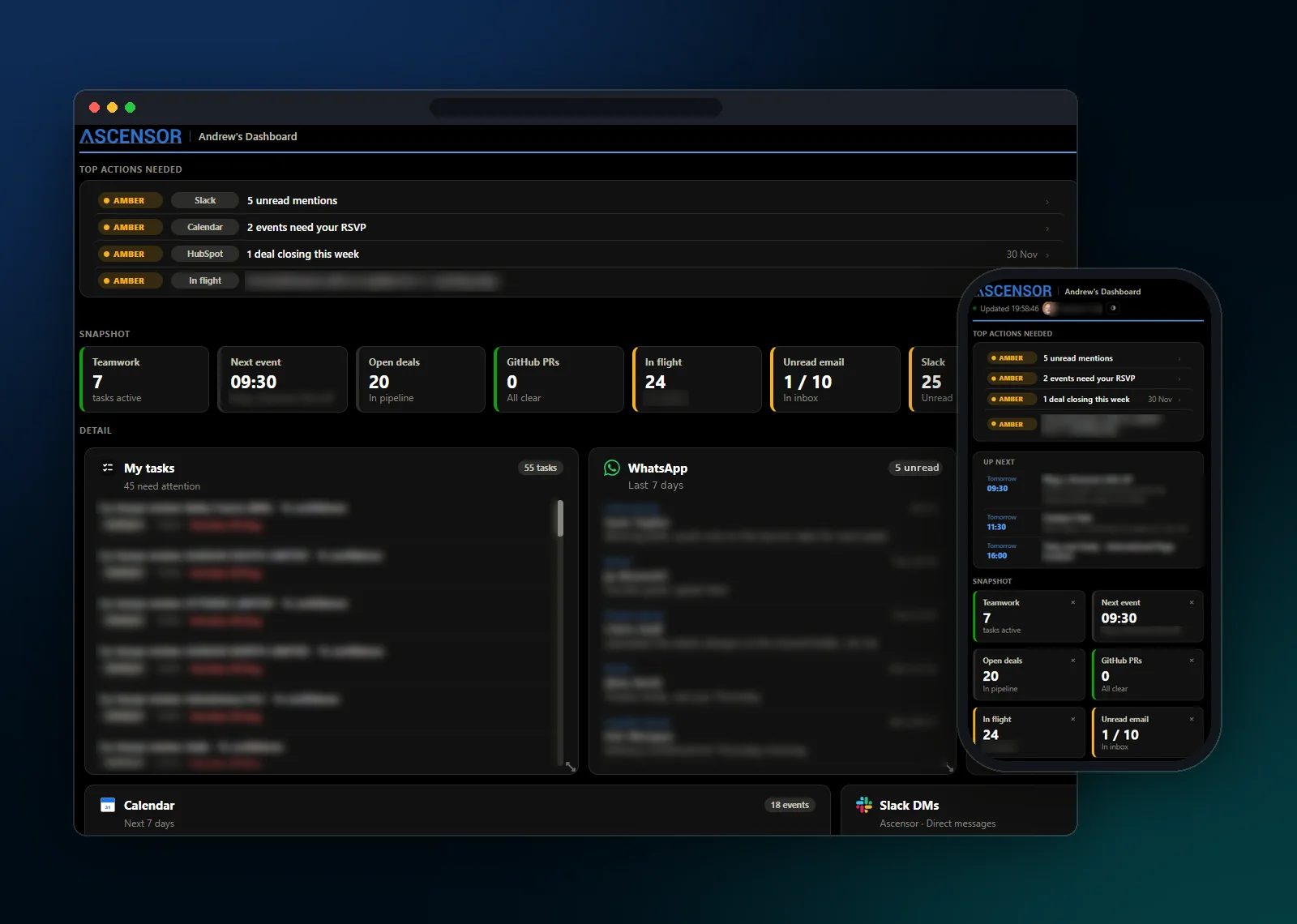
Our working day runs across at least six systems. Client conversations sit in Gmail and Slack, deals and follow-ups in HubSpot, delivery in Teamwork, code in GitHub and the day itself in Google Calendar. Each one has its own notifications and its own idea of what's urgent, so we were spending more time checking tabs than doing the work.
We didn't need another inbox. We needed one place that reads all of those streams, ranks what matters and lets us clear it without opening six apps.
What I built
The dashboard signs in with Google and pulls live data from every connected source onto a single page. It refreshes in the background and shows the time of the last update in the header, so we always know how current it is.
Emails, Slack messages, calendar invites and other items can be cleared from the dashboard itself. There's no need to go into each platform to mark something read or reply.
Top actions first
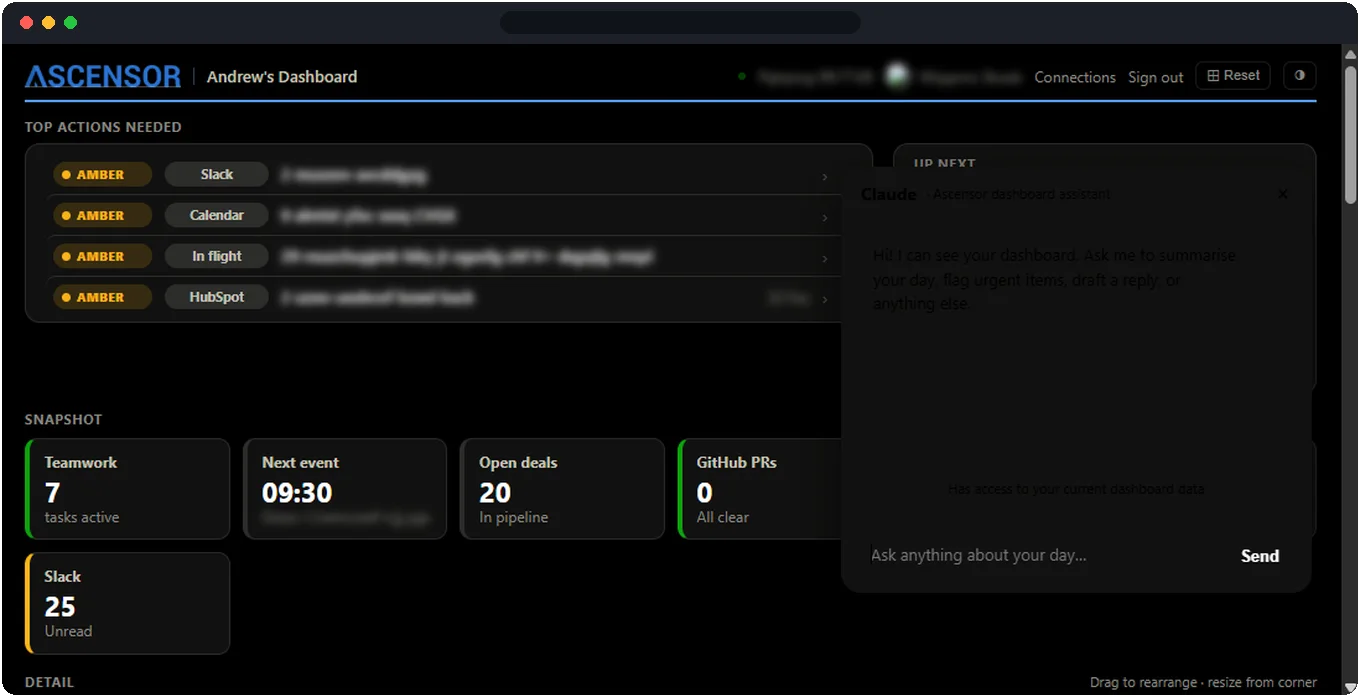
The top of the page answers one question: what needs me now? Each action carries a red, amber or green rating and a badge showing where it came from: Slack, Calendar, HubSpot or our own In flight tracker.
Typical items are unread mentions, events waiting for an RSVP, deals due to close this week and workstreams that have gone quiet. Click an action and it opens the source system at the right place. Beside it, Up next shows the next three calendar events with times and locations.
A snapshot of every stream
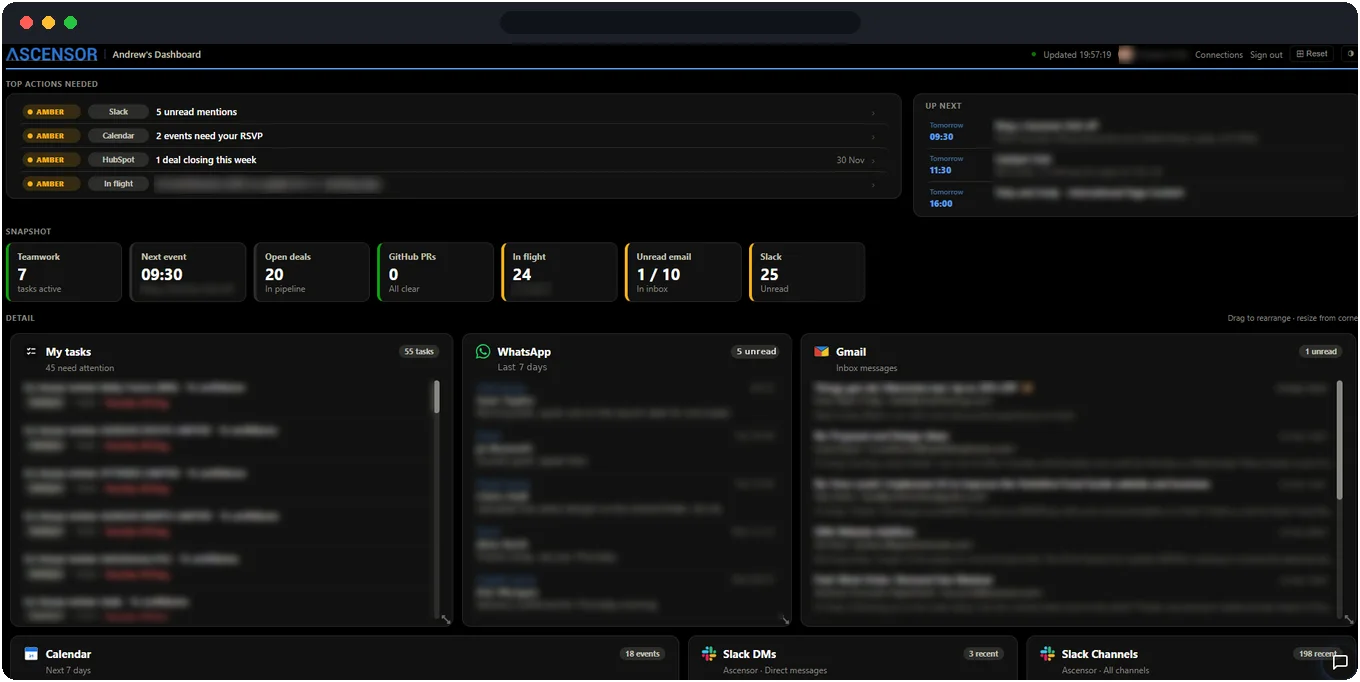
A row of tiles gives the headline number for each stream: active Teamwork tasks, the next event, open deals, open GitHub pull requests, workstreams in flight, unread email and unread Slack.
Each tile has a coloured edge, so a problem shows up before you've read the number. Any tile you don't need can be hidden.
A card for every source
Below the snapshot, every source has its own card. Cards can be dragged into a different order and resized from the corner, and a Reset button puts the layout back.
- Gmail: inbox messages with sender, subject, a preview line and time, cleared from the card
- Calendar: the next seven days grouped by day, with accept, decline or maybe on each invite
- Slack: everything unread from the past seven days, with a mark-read button and emoji replies that post to Slack and mark the message read in one click
- HubSpot: the open pipeline with amount, stage and close date, plus open CRM tasks by type, priority and due date
- Teamwork and GitHub: active delivery tasks by project, and open pull requests
- WhatsApp: built to the same pattern as Slack and waiting for its connection
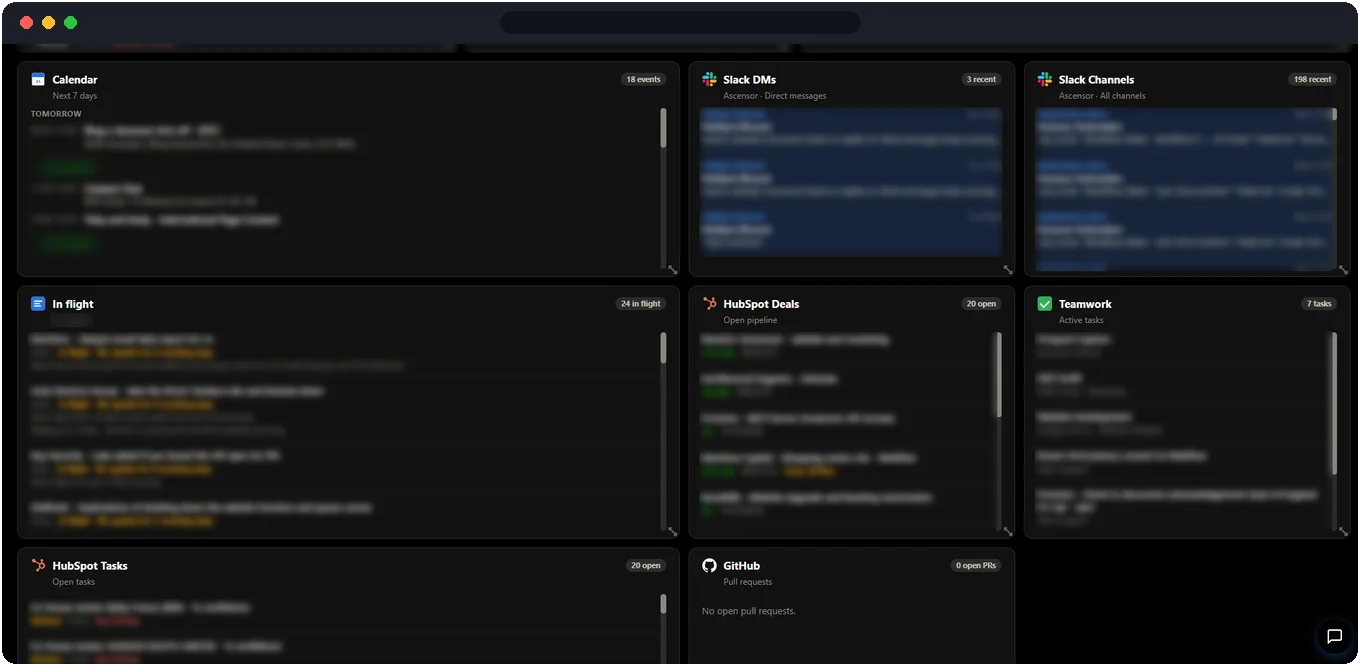
In flight is the card I use most. It tracks live workstreams across clients and flags any that have had no update for several working days, so a stalled project shows up on Monday morning rather than as a client chasing on Friday.
My tasks pulls everything that needs your attention into a single list, badged by source, so you're working one queue instead of several. Actions that come out of our AI chats are logged to a Google Sheet behind the dashboard, so they land in the same list and get the same priority, rather than living in a chat history nobody scrolls back through.
On the phone as well as the desk
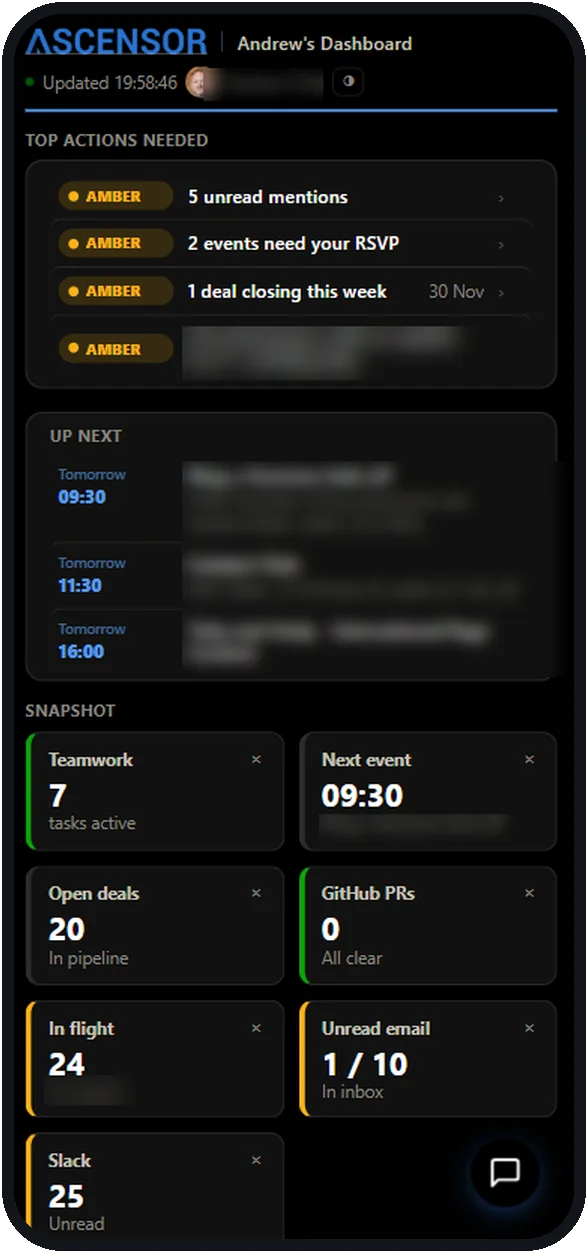
The layout reflows for a phone screen, so the same actions, snapshot and clearing work on the move.
The header holds a light and dark mode toggle and a link to Connections, where the accounts behind each card are managed.
A Claude assistant on top
A chat panel opens from the corner of the screen. The assistant can see the current dashboard data.
You can ask it to summarise your day, flag what's urgent or draft a reply to a message, without copying anything across.
How it's built
Each person signs in with Google and sees only their own accounts. It runs in a Docker container on our own server, alongside the automation that runs the rest of Ascensor's operations.
Tech stack
- App Node and TypeScript on Express
- Data Postgres for read state and layout
- Hosting A Docker container on our own server
- Sign-in Google, one set of accounts per person
- AI A Claude assistant with the current dashboard data
What I learned
Slack read state is harder than it looks. Slack's API doesn't give you a simple unread list, and the unread counts couldn't be trusted. So the dashboard works out read state conversation by conversation and marks messages read one at a time. At one point I believed around two thirds of conversations never reported read state at all. That turned out to be my own timeouts: the real figure on my account was two conversations out of 99.
Narrow scope keeps it useful. The Slack view shows unread messages from the past seven days and nothing more. That window is a product decision rather than a setting to tune, and it keeps the page to things that still need an answer.
Fail loudly. When the server's internal network shifted and broke sign-in, I added a startup check that refuses to run against an unreachable database and says why in plain terms. It's the same rule we apply to everything we build for clients: a tool that stops and tells you is recoverable, one that quietly shows nothing isn't.
What it could mean for your business
Most businesses we work with have the same problem at a different scale: sales in the CRM, delivery in a project tool, the team in Slack and customers in email.
A single ranked view across those systems, with the ability to act from it, is something we can build into your own stack.
Andrew Firth
Director
Ascensor
Questions this piece answers.
Want a view on your own business? Tell us what you are trying to achieve and we will tell you how we would approach it.
Talk to us
What systems does the Team Dashboard connect to?
Gmail, Google Calendar, Slack, HubSpot, Teamwork and GitHub, plus our own In flight tracker and a Google Sheet that collects actions from our AI chats. A WhatsApp card is built and waiting for its connection.
Can you clear items without opening each app?
Yes. Emails and Slack messages can be marked read, calendar invites accepted or declined, and Slack messages answered with an emoji from the dashboard itself. Anything that needs more opens in its own platform at the right place.
Who can see what on the dashboard?
Everyone signs in with their own Google account and only sees the accounts they have connected. The dashboard runs on our own server, and read state and layout are stored per person.
Could you build something like this for our business?
Yes. Most businesses run sales, delivery, team chat and email in separate tools. We can build a single ranked view across the systems you already use, with the ability to act from it.
Want every system your team uses *on one screen?*
A few details is enough to start. We will reply to say how we would approach it.
Prefer to call? 0113 831 4400
More from the lab.
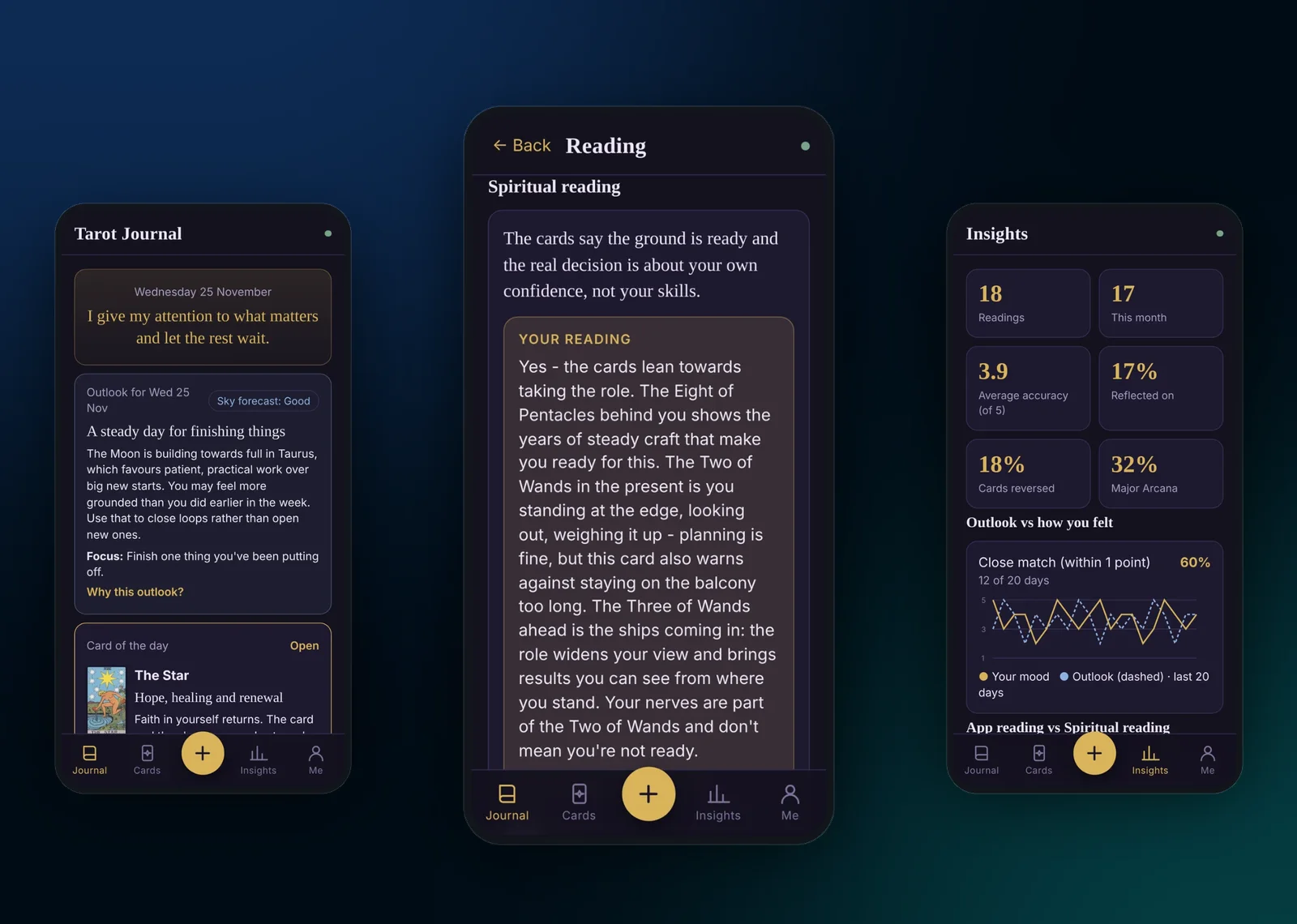
Tarot Journal: two readings, and *a vote on which was right*
My private tarot journal: the app and Claude both read the cards, and my vote for the more accurate one trains the app.
Team Dashboard: six systems, *one screen*
Email, calendar, Slack, HubSpot, Teamwork and GitHub all compete for our attention. So I built a dashboard that pulls them onto one page, shows what needs doing first and lets us clear it from there.
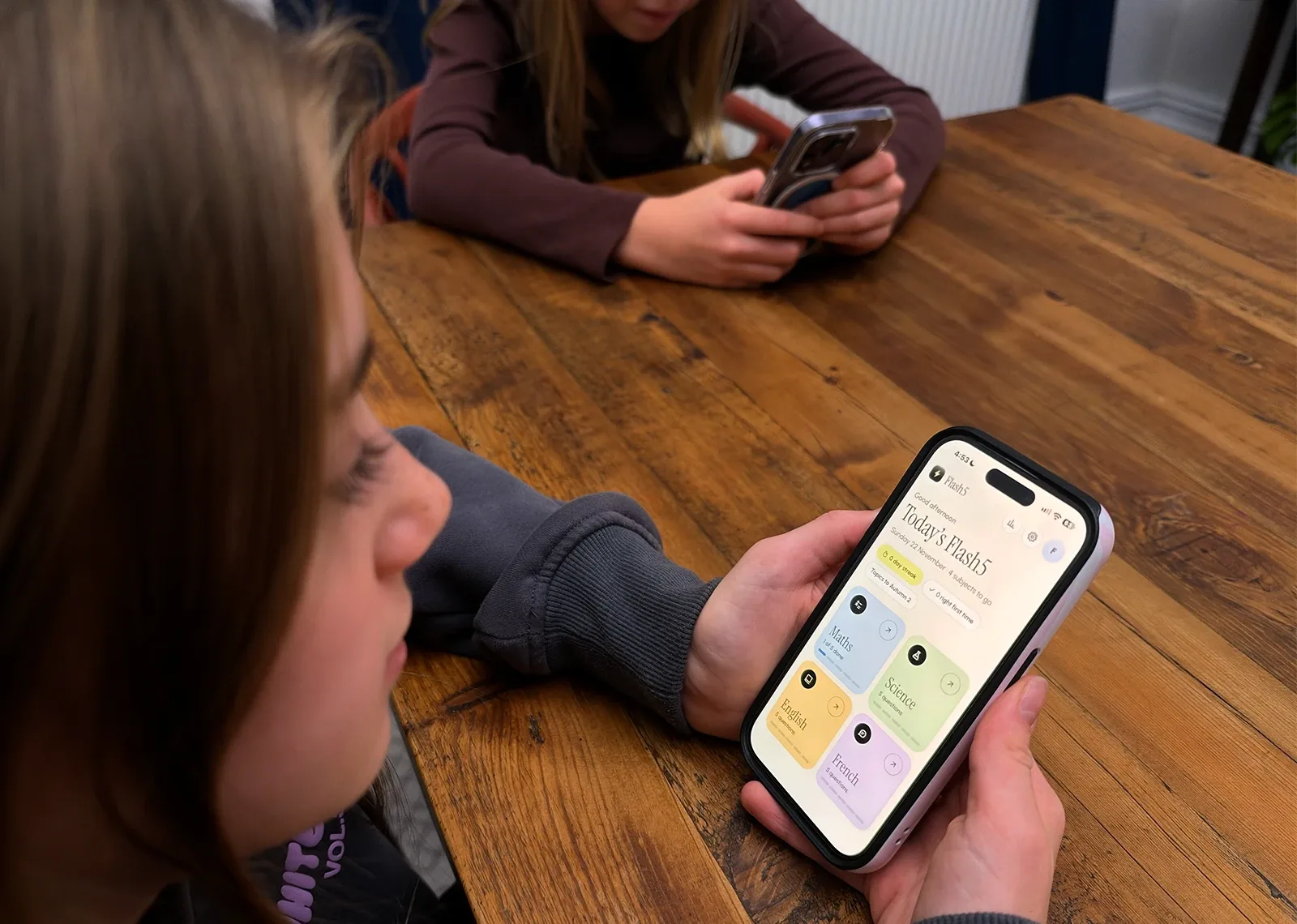
Flash5: the revision app my daughters *actually use*
Five questions per subject, every day, on the phone they already carry. I built Flash5 for my two daughters in Year 6 and Year 8. Here is how it works, and what the same idea could do for a training team.
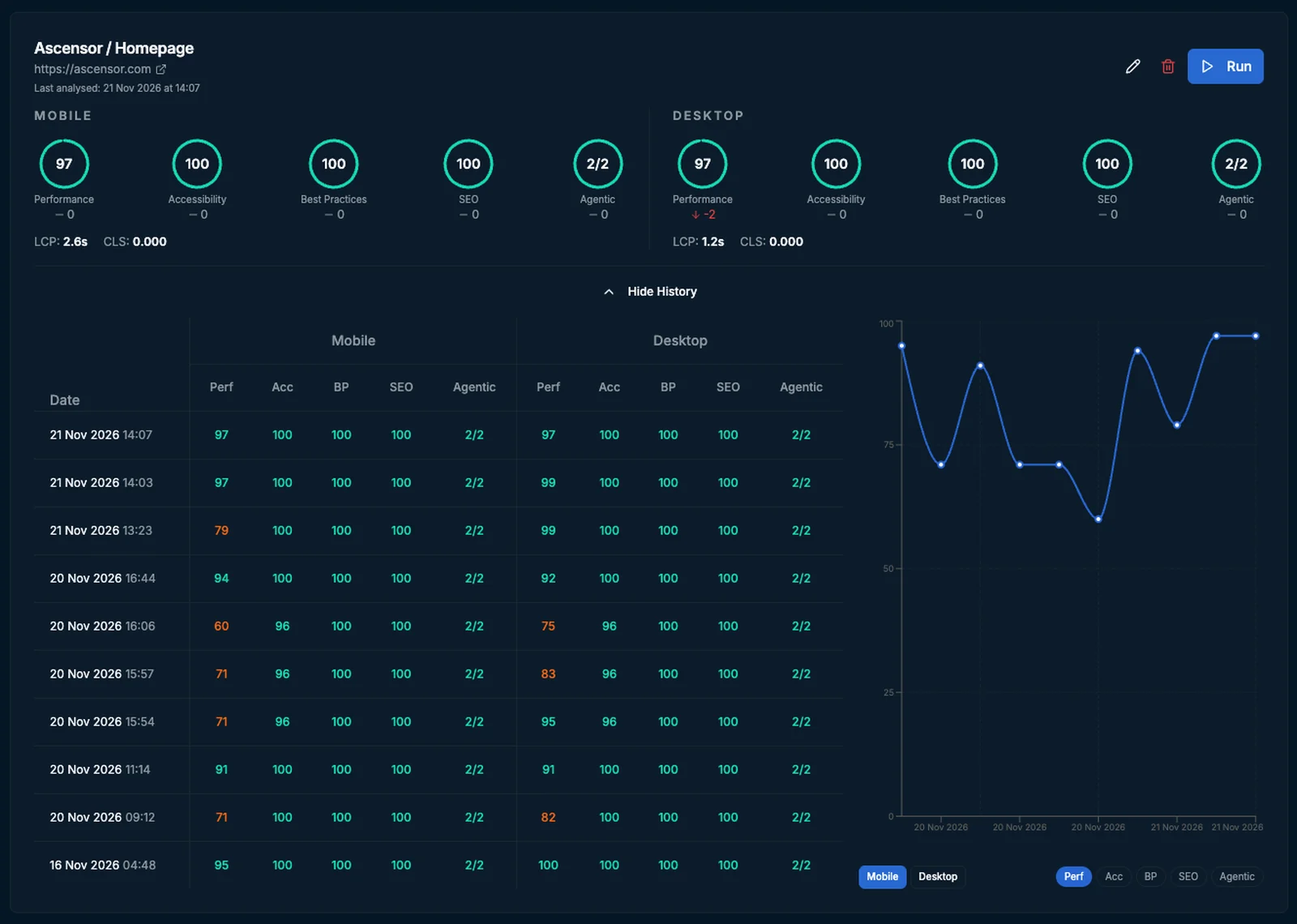
Site testing: how we keep every page *in the green*
Ascensor Advantage tests every page on a site, every week, on mobile and desktop, and keeps the history. It started as an experiment. Now we use it every day.